
Every image,
named properly
the second it lands.
Stop the flood of image (17).png. Smart Image Renamer detects the source of every download and rewrites the filename before it hits disk — cleanly, deterministically, forever.
See Renma in motion
Watch a real download turn from image (17).png into a clean, sourced filename — before Chrome even finishes writing it to disk.
- Instant source-aware renaming
- Auto-routed into the right folder
- Zero-latency, fully local
Works with every image source
Small extension.
Enormous quality-of-life.
Everything Renma does happens invisibly, at the moment Chrome asksonDeterminingFilename — no clipboard hacks, no post-processing, no manual renaming.
Images from openai.com, chatgpt.com, and oaiusercontent.com are auto-tagged as AI_Generated, so you never mix synthesised images with the real thing again.
Runs inside Chrome's own filename hook — the download completes with the right name. Nothing to click, nothing to wait for.
Add custom domain → prefix mappings from the options page. Saved instantly via chrome.storage.local.
Popup shows exactly what changed.
Everything is local. No telemetry, no servers, no analytics. The extension only asks for the downloads permission.
Preserves the original file extension — png, jpg, webp, gif, svg, avif — and strips www. plus TLD for a clean prefix out of the box.
~2 KB background script. No content scripts, no host permissions, no bloat. Loads unpacked in every Chromium browser.
Renma vs. everything else you've tried.
Four dimensions that actually matter when you save 40 images a day. Pick a metric on the left, watch the bars redraw.
Three steps.
That's it.
No sign-in, no config, no cloud. The background service worker registers a single listener and every future image download flows through it.
- 01Install unpacked
Download the zip, unzip, and load it in chrome://extensions with Developer mode on.
- 02Just browse
Save any image from any site the way you always do. Chrome fires onDeterminingFilename.
- 03Get a clean name
The extension inspects the source host, applies your rules, and calls suggest() with a tidy {prefix}_{timestamp}.{ext} filename.
A tiny decision tree with big returns.
Custom mappings win first. Then the AI hosts. Then a clean domain fallback. The rest is just a timestamp and the original extension.
chrome.downloads.onDeterminingFilename.addListener(
  (item, suggest) => {
    const host = new URL(item.finalUrl || item.url).hostname;
    const ext  = getExtension(item.filename) || "png";

    (async () => {
      const custom = await getCustomMappings();
      const prefix = resolvePrefix(host, custom);
      const name   = `${prefix}_${Date.now()}.${ext}`;

      await pushHistory({
        originalName: item.filename,
        newName: name,
        domain: host,
      });
      suggest({ filename: name });
    })();

    return true; // keep suggest() alive
  }
);
The field notebook
Learn Renma in seven sketches.
Hand-drawn sketches of every screen, click-by-click instructions, and a real before/after filename so you know exactly what happens.
Install
Load unpacked at chrome://extensions.
Open options
Right-click the icon → Options.
Save an image
Renma renames it instantly.
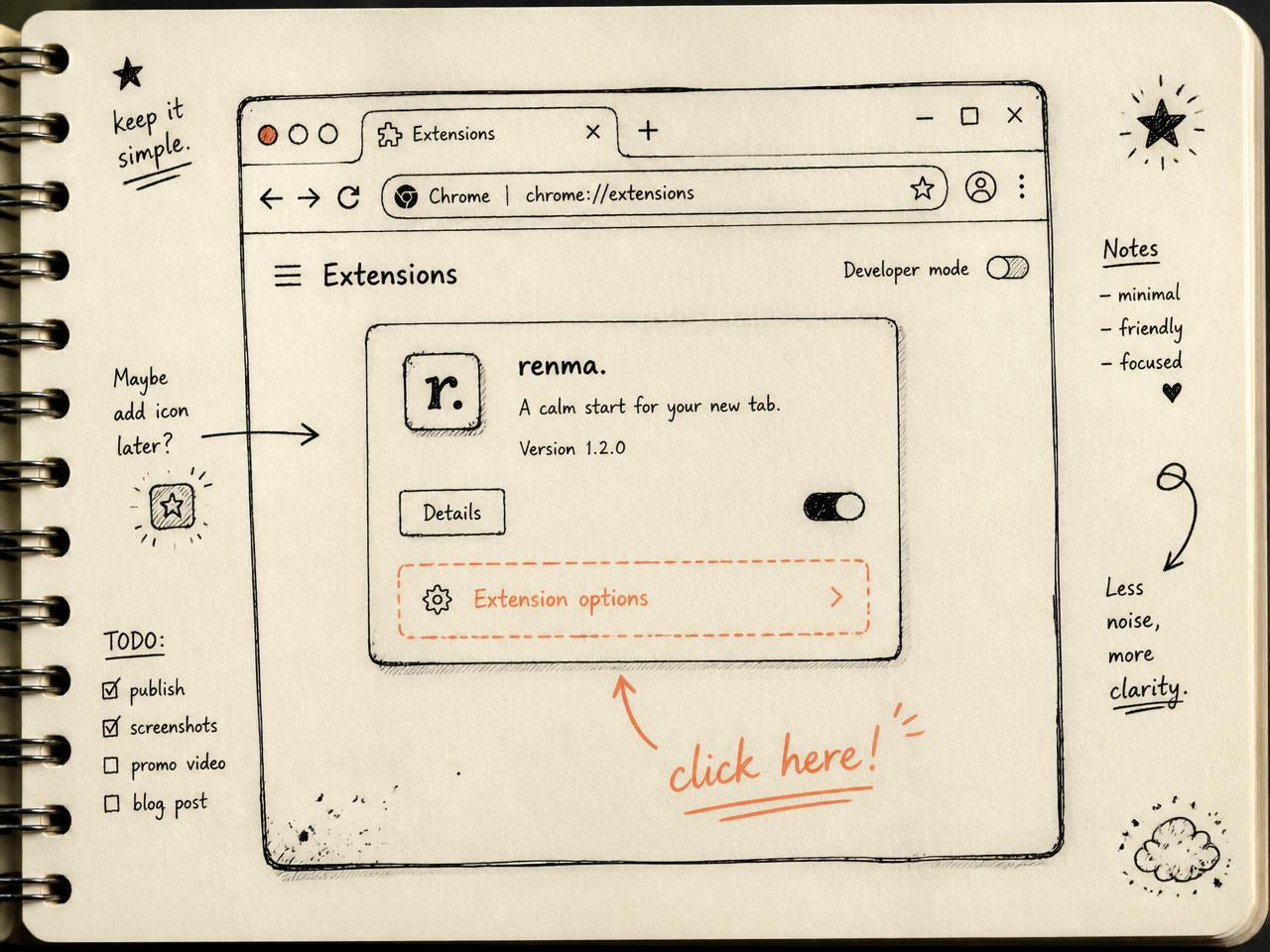
Find the settings page
Every control lives on a single options page. You only need to open it once.
How to do it
- 1
Open chrome://extensions — paste it into the address bar and hit enter.
- 2
Find the Renma card — it looks like any other extension in the list.
- 3
Click Details, then Extension options — the dashed row on the sketch.
Shortcut — right-click the toolbar icon and pick Options. Same page, one click.
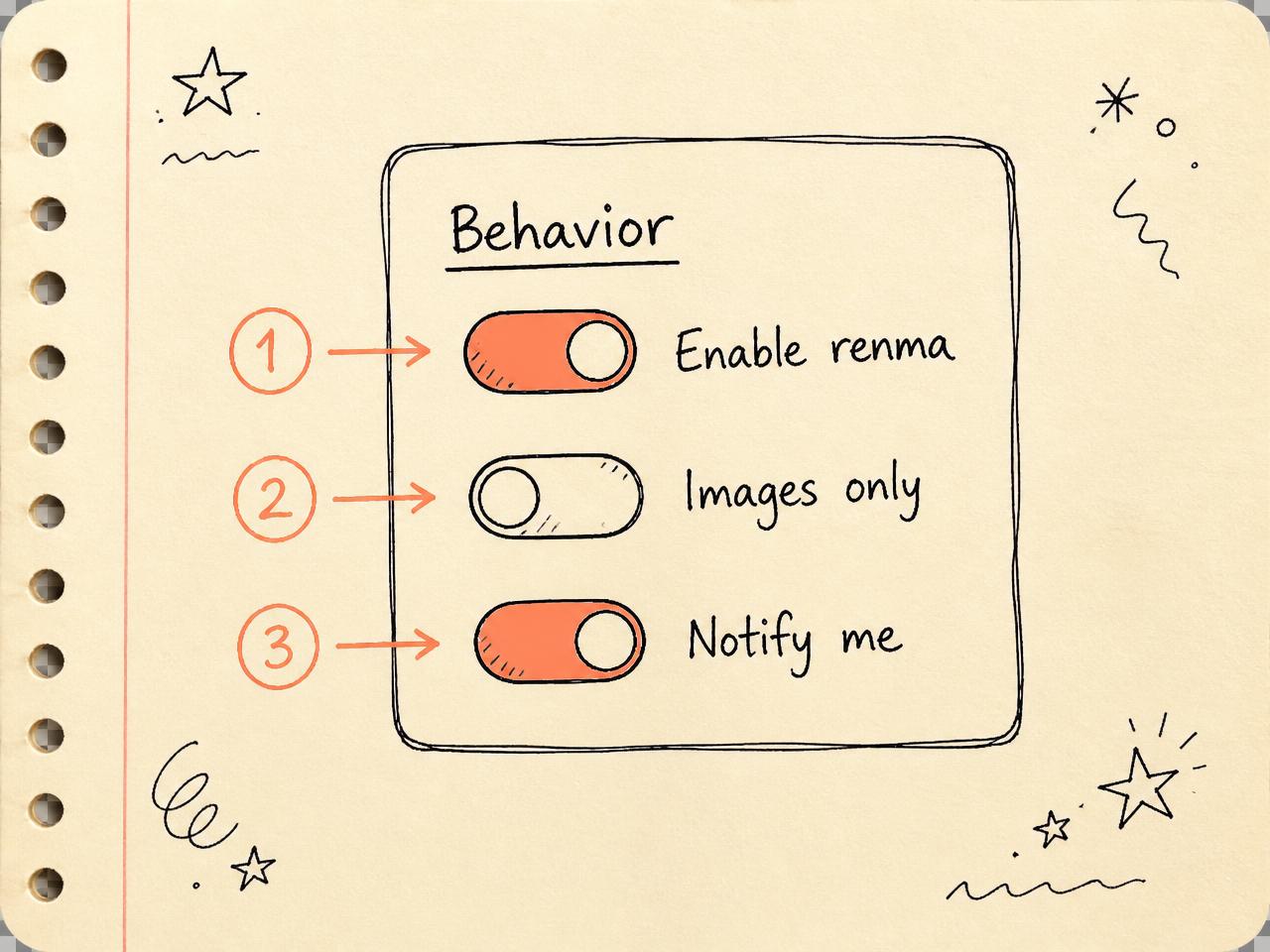
Flip the master switches
Three toggles decide when Renma is active and how loud it is about it.
How to do it
- 1
Enable renma — the global on/off. Off = every download saves untouched.
- 2
Only images — restrict Renma to real image MIME types. PDFs, ZIPs pass through.
- 3
Notify me — a small desktop toast fires on every rename.
Turn Notify me on for the first day so you can see what Renma is doing, then switch it off.
Browser saved
unsplash-photo-2394.pdf
Renma saved
unsplash-photo-2394.pdf
With 'Only images' ON, non-images pass through untouched.
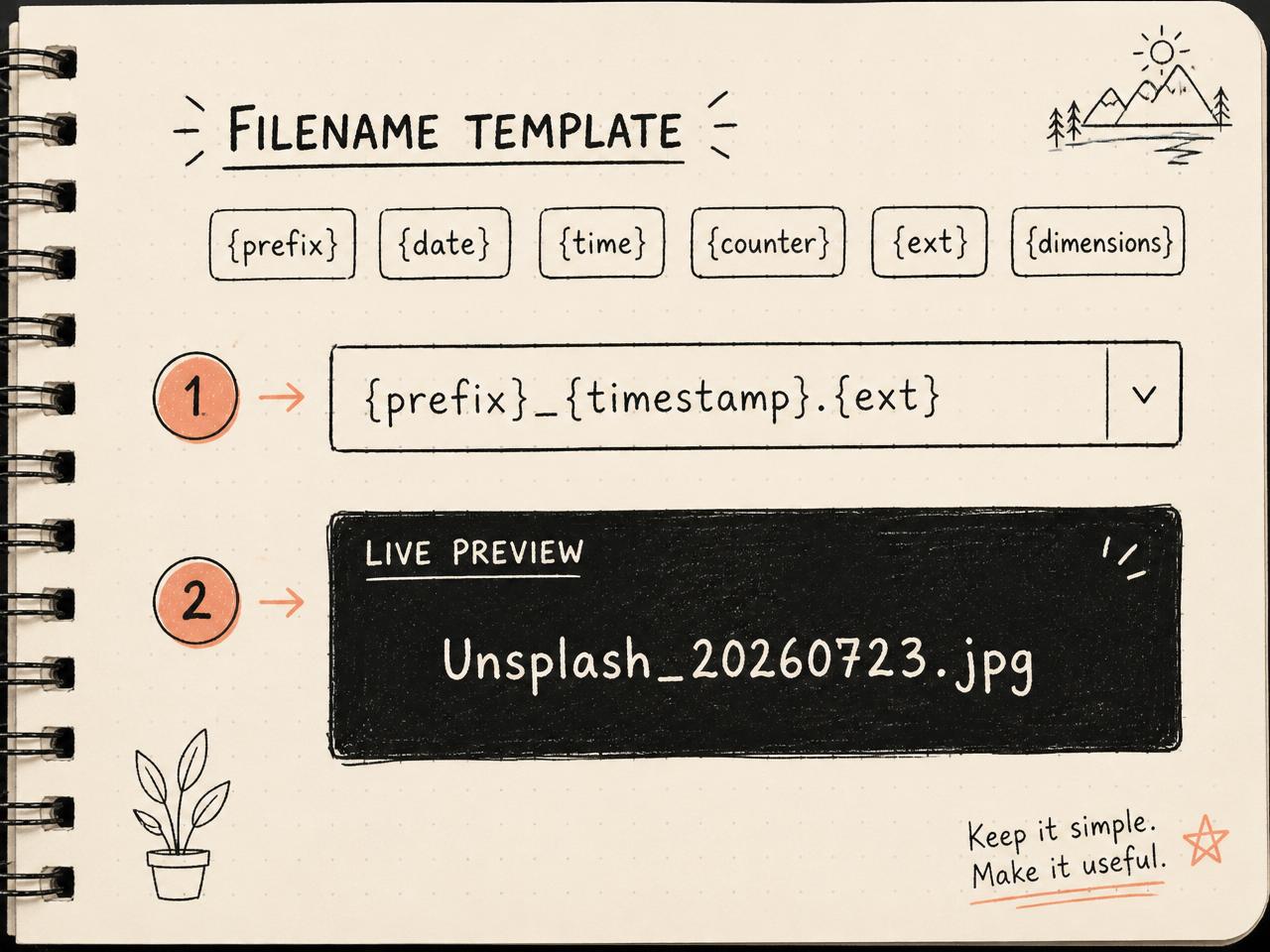
Design the filename
Templates are recipes. Mix tokens and separators — Renma fills in the values at download time.
How to do it
- 1
Tap a token chip — it inserts into the editor at the cursor.
- 2
Add separators — underscore, dash, or dot between tokens for readability.
- 3
Check the live preview — it uses a real Unsplash download so you know what you get.
Available tokens: {prefix} {date} {time} {timestamp} {counter} {width} {height} {dimensions} {ext}.
Browser saved
photo-1503023345310-bd7c1de61c7d.jpg
Renma saved
Unsplash_20260723-142011_1920x1280.jpg
Template: {prefix}_{date}-{time}_{dimensions}.{ext}
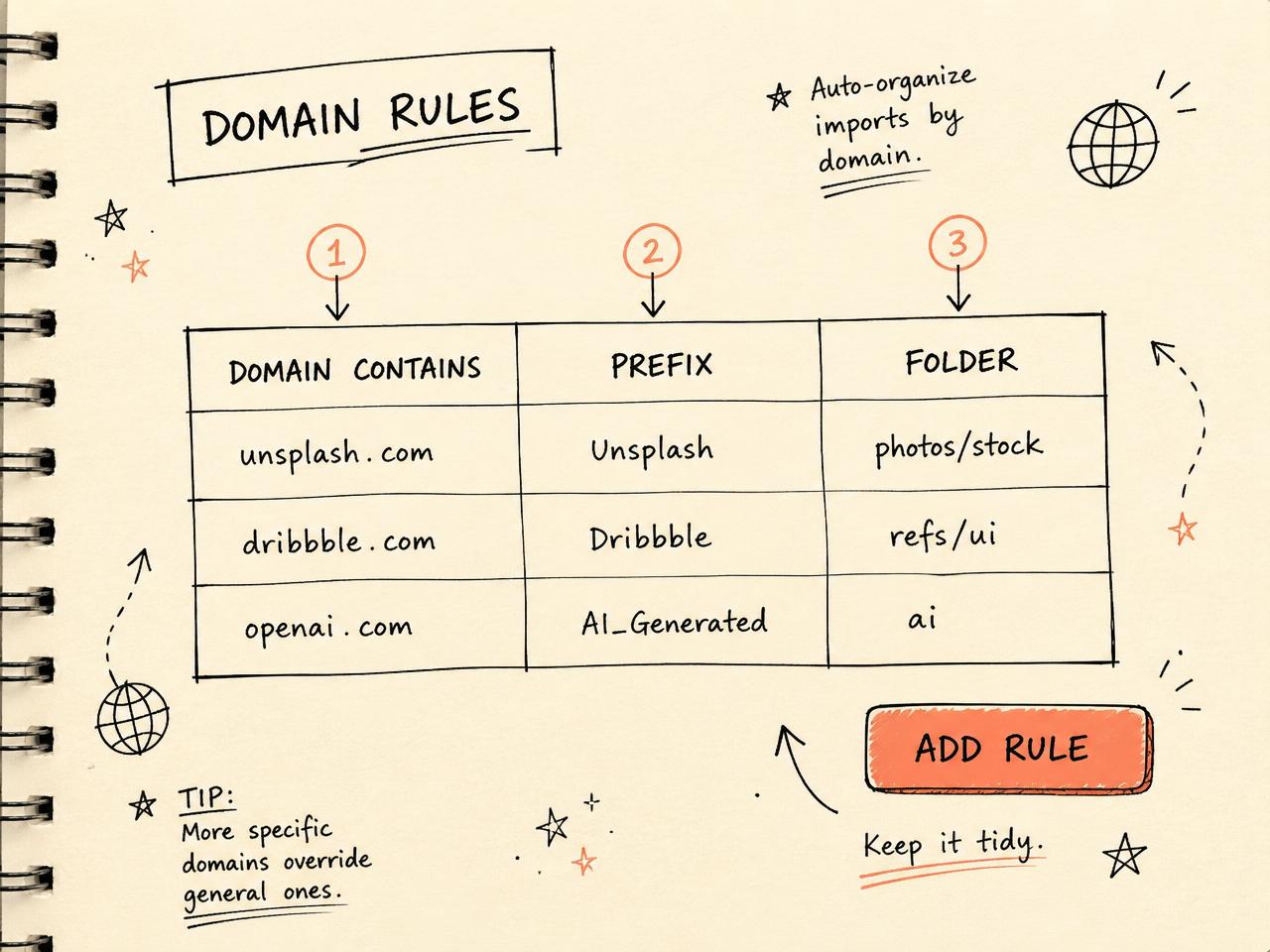
Teach it your domains
Rules map a hostname to a prefix and, optionally, a subfolder inside Downloads/.
How to do it
- 1
Click Add rule
- 2
Type a domain fragment — 'dribbble' matches dribbble.com AND cdn.dribbble.com.
- 3
Set a prefix — this replaces {prefix} in your template.
- 4
Optional: set a folder — e.g. refs/ui — Renma creates it inside Downloads/.
Renma ships with sensible defaults — OpenAI → AI_Generated. Delete or edit anything.
Browser saved
ss_1_4x-1720012.jpg
Renma saved
refs/ui/Dribbble_20260723-142255.jpg
Rule: dribbble.com → prefix 'Dribbble', folder 'refs/ui'
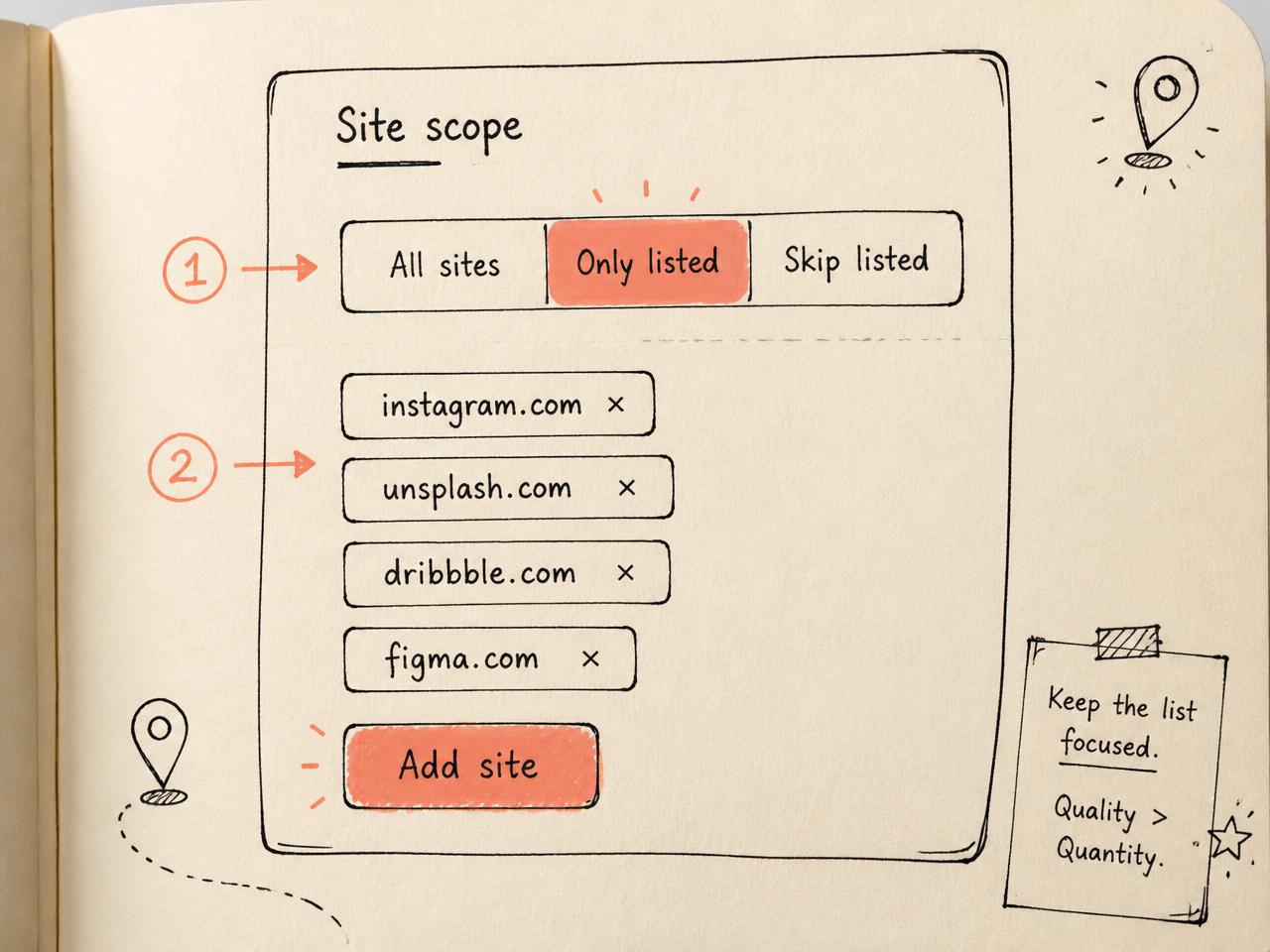
Pick where Renma runs
Site scope is a big kill-switch by domain. Only one mode is active at a time.
How to do it
- 1
Pick a mode — All sites · Whitelist only · Blacklist.
- 2
Type a domain, press Enter — a chip appears in the list.
- 3
Click × to remove — empty list + Whitelist mode = Renma runs nowhere.
Put your bank and email provider on the Blacklist. Renma won't touch anything you download there.
Browser saved
statement_IMG_9821.jpeg
Renma saved
statement_IMG_9821.jpeg
Blacklist contains your bank — Renma stays out of the way.
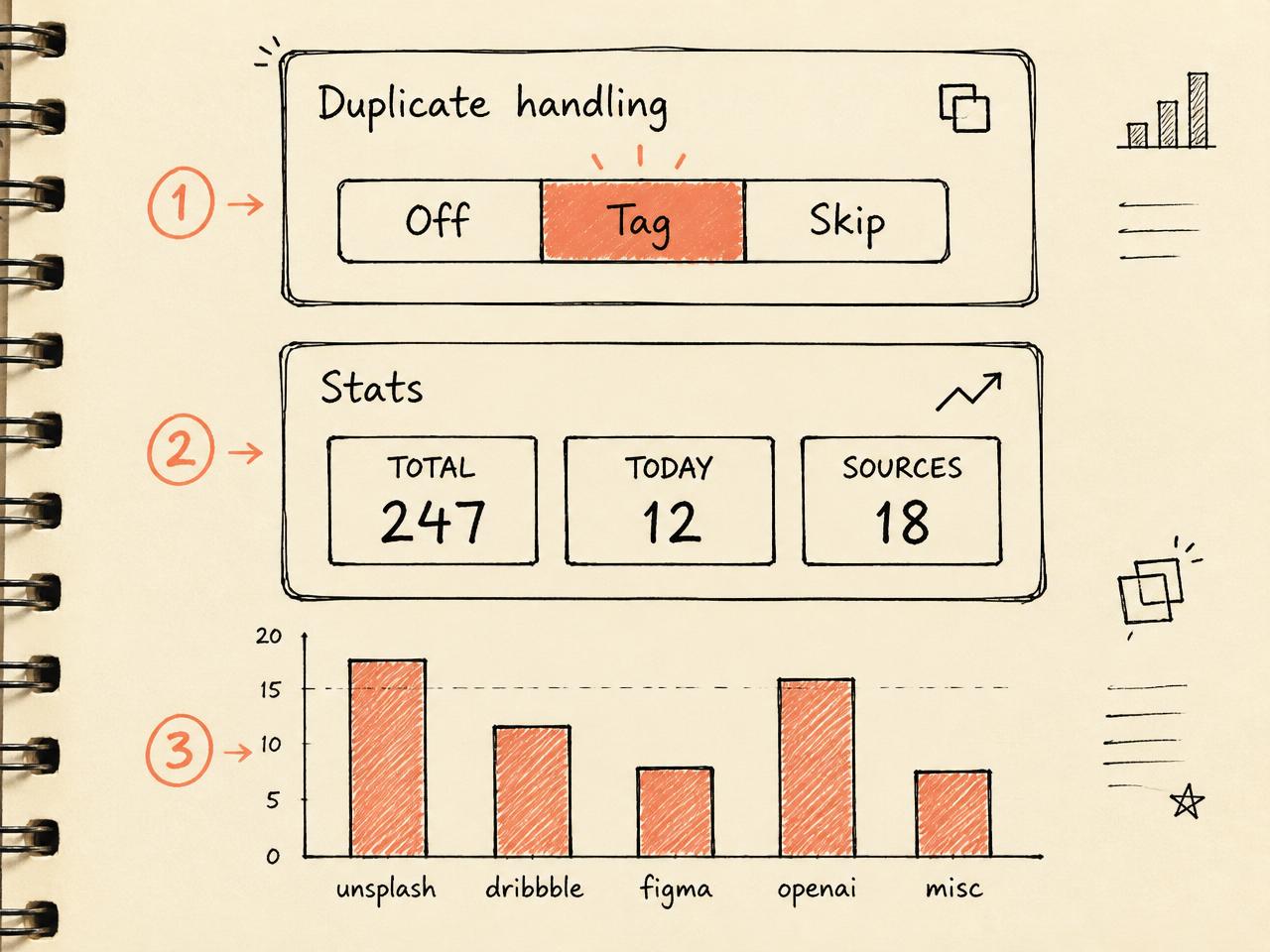
Duplicates & stats
Choose how the same URL twice should behave, and watch your download habits fill in below.
How to do it
- 1
Pick a duplicate mode — Off = ignore · Tag = mark it · Skip = refuse the re-download.
- 2
Scroll to Stats — totals, today, and unique sources — 100% local.
- 3
Read the top-domains chart — the bars show where your images actually come from.
Nothing in Stats leaves your machine — no telemetry, no accounts, no network calls.
Browser saved
hero-banner.png (already saved)
Renma saved
⏭ skipped — duplicate URL
Duplicate mode = 'Skip' — no clutter, no '(1)' copies.
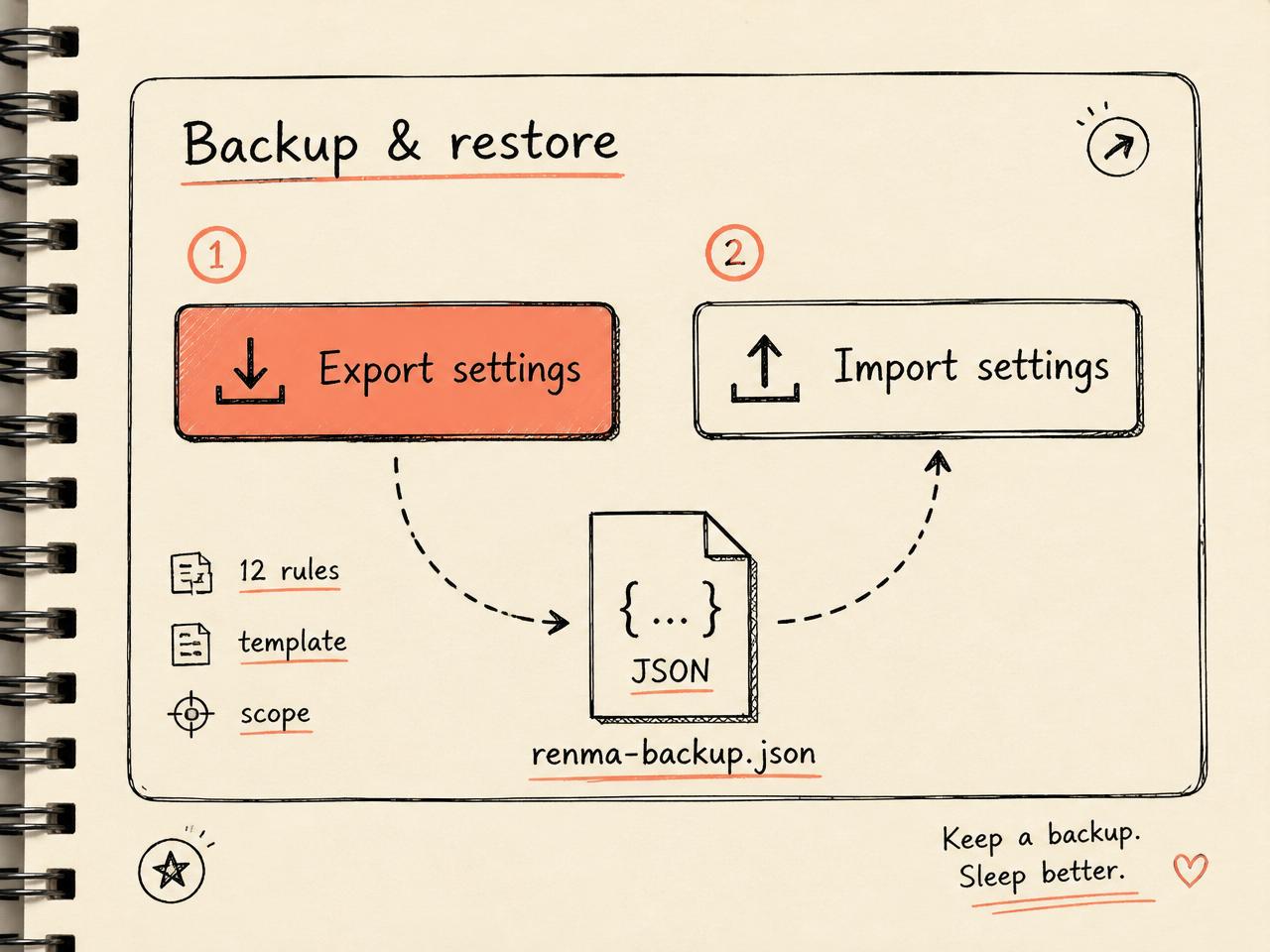
Backup & restore
Your config is a single JSON file. Move machines without redoing anything.
How to do it
- 1
Click Export — downloads renma-backup.json.
- 2
On the new machine, install Renma — open options.
- 3
Click Import and pick the JSON — templates, rules, scope, toggles — all restored.
Keep a fresh export in your dotfiles. Renma is trivially reproducible on any new laptop.
Browser saved
fresh install, no rules
Renma saved
renma-backup.json → 12 rules, template, scope restored
Everything travels: templates, rules, scope, duplicate mode, toggles.
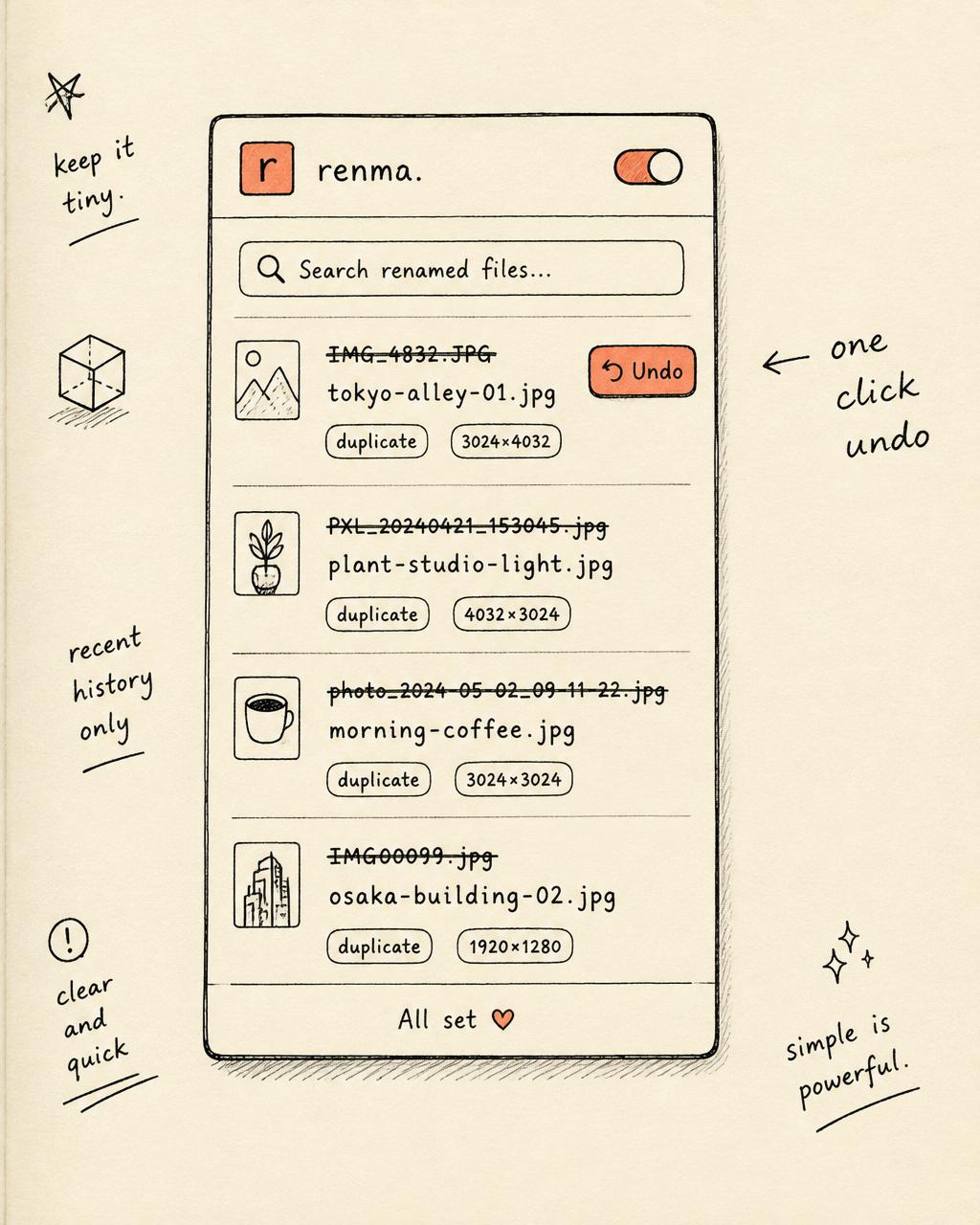
Bonus
The toolbar popup
Click the Renma icon for your last 50 renames. Search them, export as JSON, or hit Undo to revert the most recent one.
Keyboard shortcuts
Renma is a naming primitive.
These are the layers on top.
The current release is a single, sharp tool. Here's the roadmap we're actively prototyping — each one built on the same MV3 service-worker foundation.
Compose filenames from real variables — {domain},{date},{alt},{hash},{model}. One config, every download.
Same rule engine, one extra hop. AI images land in /AI, stock in /Stock, references in /Refs.
Detect the generator — DALL·E, Midjourney, Flux, SDXL — from URL patterns and metadata, and tag the filename accordingly.
Pull the source image's alt attribute and slug it into the name — searchable, meaningful, human-readable.
For power users — match URL paths and query params, not just hostnames. Redirect an entire CDN subtree to one prefix.
Export your mappings as a JSON pack, share with your team, import in one click. Design studios and research teams naming things the same way.
Retroactively apply the current rule set to files already sitting in your Downloads folder. History becomes clean too.
Questions, answered.
Yes. It's a standard Manifest V3 extension — any Chromium browser can load it unpacked.
No. There is zero network activity. All logic runs in the local service worker; history lives in chrome.storage.local.
Yes. Open the options page and add any number of domain → prefix mappings. They take priority over the built-in rules.
The extension is preserved from the original filename, so png stays png, webp stays webp, and so on.
No. The listener checks mime type and common image extensions before touching the filename.
Give your Downloads folder the life it deserves.
One zip. Two minutes. A permanently tidy filesystem —
quietly renaming every image you save.